Skip to content
Insights
Outsight's lidar simulator tool perfect for planning your lidar solutions

Introducing the first multi-vendor 3D LiDAR Simulator

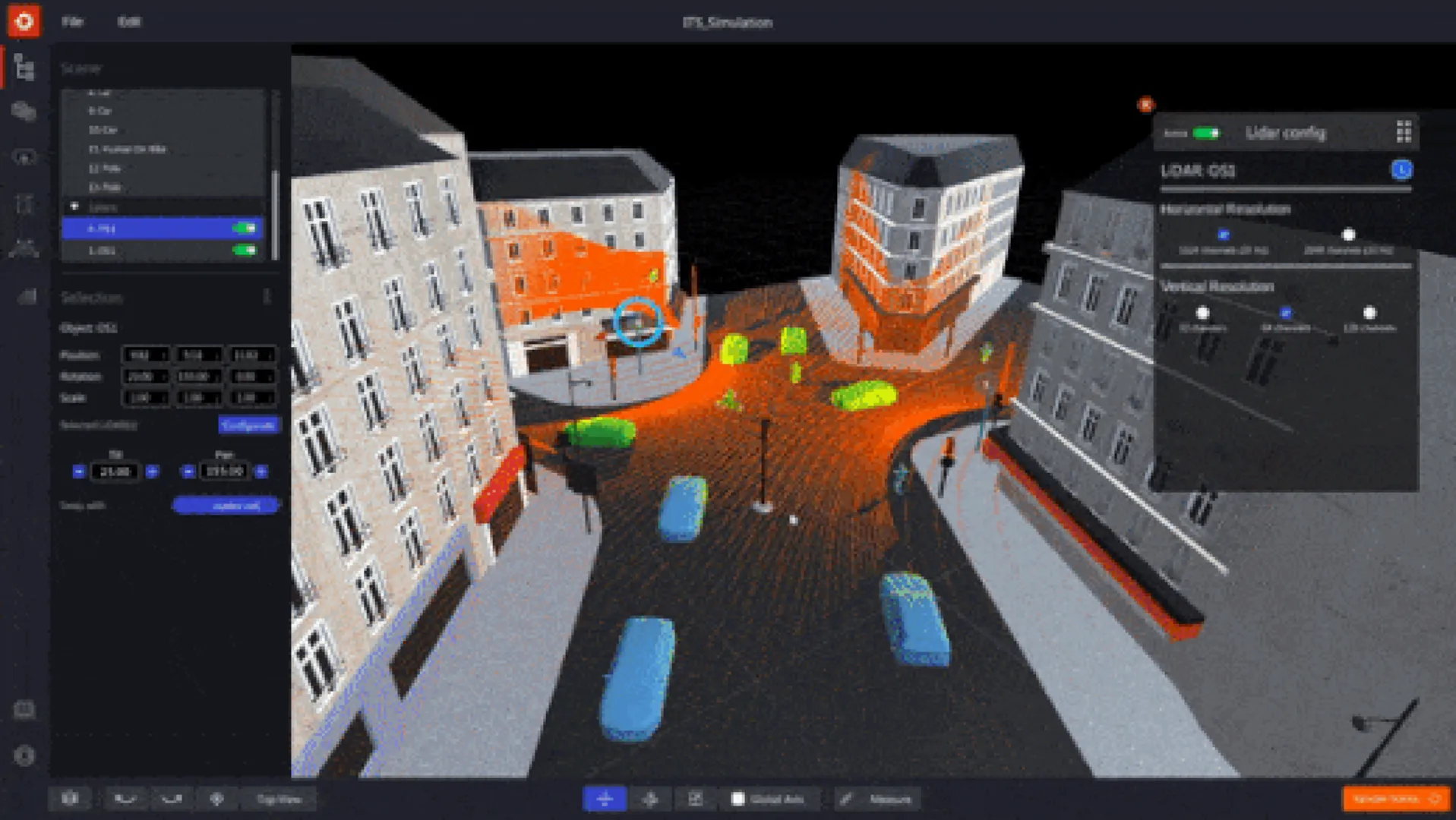
Outsight has developed a LiDAR simulator for any use case and application, from airports to mobile robotics, smart cities and industrial applications.


The new 3D LiDAR Simulation tool, developed by Outsight, is the first LiDAR simulator on the market that doesn’t require any code and works with any type of LiDAR.

It was made possible by the helpful feedback from more than 300 early clients from a wide range of industries, applications, and places on its beta version.

In the next video, one can see a simulation of a traffic flow, including people, vehicles, and buses that are being scanned by one LiDAR. The LiDAR can be moved and pointed in multiple directions to estimate coverage in different situations.

Why use a 3D LiDAR Simulator

Outsight’s long experience developing LiDAR Software Solutions in multiple contexts made us familiar with clients’ doubts on which sensor to use and how, and gave us insights on how to solve them with an easy and scalable solution.

Deciding which and how many LiDARs to use, as well as evaluating the sensors’ best locations (height, position, orientation), are among the most frequent questions that need to be answered in order to build the most performant and affordable solutions.

Also, as a potential user of LiDAR technology, you might wonder if the coverage results would change if there were more elements or if their types changed.

By being able to predict the performance depending on each setup and use case, the 3D LiDAR Simulator has already helped many users to do the right choices and configurations for their LiDAR project

What is Outsight Cloud

There is no need to install any software on your computer.

To use the simulator, one can simply connect to Outsight Cloud.

If you want to have access to Outsight Cloud, you can request it here.
Outsight's cloud access page

Once the access is ready, one can run simulations to explore the best LiDAR setup and evaluate the coverage performance.

Besides, it is also possible to share files with other users, upload data recordings (.pcap files), and download LiDAR maps (.ply files).

How the Simulator works

Once you decide to start a new simulation, you will need to:

1. Create a scenario that matches your use-case

It is possible to create a user’s own 3D scene as a background by using the built-in tools for modifying 3D shapes.

The next video shows how to create a 3D building that respects a 2D reference map area.

2. Insert 3D objects

There is a wide variety of 3D objects available in the simulator, including people, trees, and different types of vehicles and two-wheelers.

For example, in response to the growing need for Vulnerable Road User initiatives (VRU), it is simple to include bikers, bicycles, and scooters in addition to other vehicles.

3. Pick the right LiDARs for your application

The user can navigate through a comprehensive list of compatible LiDARs and choose the appropriate model, or a combination of models, from a variety of manufacturers (360° FoV, Narrow Field of View, Dome).

In many cases, you will see that the right solution is to combine sensors from different manufacturers.

In other situations, you may find that different LiDAR solutions work about the same, so you can choose the one you prefer.

In a previous Outsight project, for example, we had to combine point clouds from two different LiDARs (Livox and Ouster) to make a solution that could detect specific objects on the ground.

The Simulator is compatible with most of the LiDAR manufacturers and models, including sensors from Hesai, Livox, Velodyne, Ouster, Robosense, Blickfeld, Innovusion and Innoviz.

4. Find the optimal LiDAR coverage

One can identify the optimal trade-off between performance, hardware cost, and complexity by testing various choices and coverage levels.
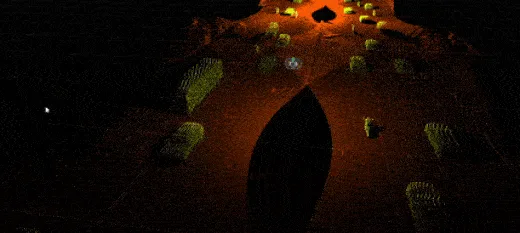
Lidar wide spread coverage of an area

5. Focus on Zones of Interest

If you are familiar with the Augmented LiDAR Software family of solutions, you will feel at home while facing a similar user interface in the Simulator.

The best example is that you will be able to create Zones of Interest in the Simulator just as you can in the Software, making it possible to anticipate the coverage performance only in specific areas.

This can have many interesting use cases, such as predicting results for crosswalk surveillance or crowd monitoring in sensitive areas.
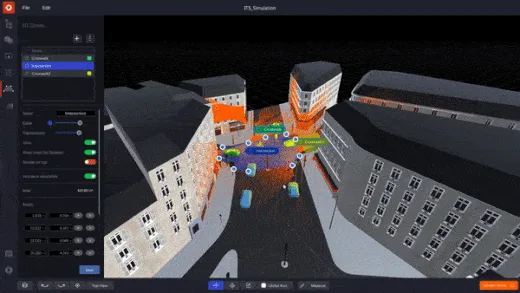
Outsight's simulation tool

6. Check your detailed Simulation Analysis

The Simulator’s coverage quality computation yields exact findings in an indication that is simple to comprehend.
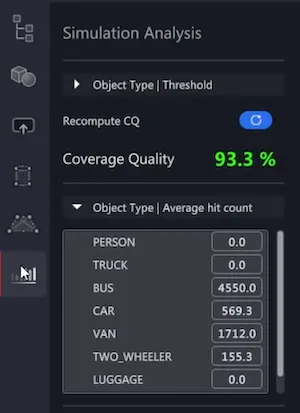
Outsight's simulation tool showcasing the simulation analysis function

Customizations to your need

SEAMLESS IMPORT OF 3D MODELS

Using an elegant preview selection, many backdrop images and external 3D objects may be incorporated into a simulation.

3D SHAPES AND ZONES EDITOR

It has never been simpler to design, manipulate, and customize 3D zones and shapes in high definition.
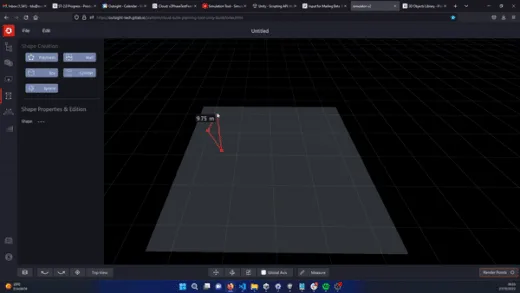
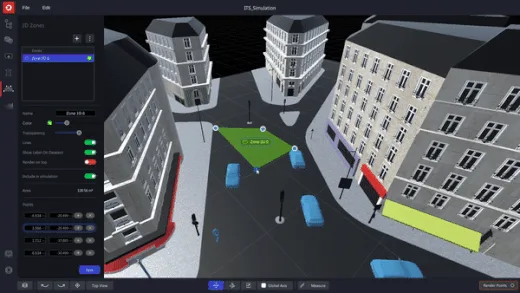
Outsight's simulation tool making 3D shapes for building or obstacles Outsight's simulation tool creating zones of interest

Optimize your workload

MULTI-ITEM MANAGEMENT

As a result of user feedback, we have introduced productivity-enhancing features: the user can concurrently move, adjust, and modify the attributes of several objects, forms, and LiDARs, which helps to accelerate workflows when many LiDARs are involved.

MULTIPLE LIDARs OR LARGE PREMISES

Without the proper tools, selecting the optimal combination of LiDAR models and their positions is a difficult endeavor.

Outsight’s simulator and software solutions assist our customers in optimizing the solution’s cost and effectiveness.

Conclusion

At Outsight, we created this simulator with the purpose of serving any use case and application, from airports to mobile robots, passing by smart cities, automotive, and industrial applications.

The simulator is free of charge for any of Outsight’s clients.
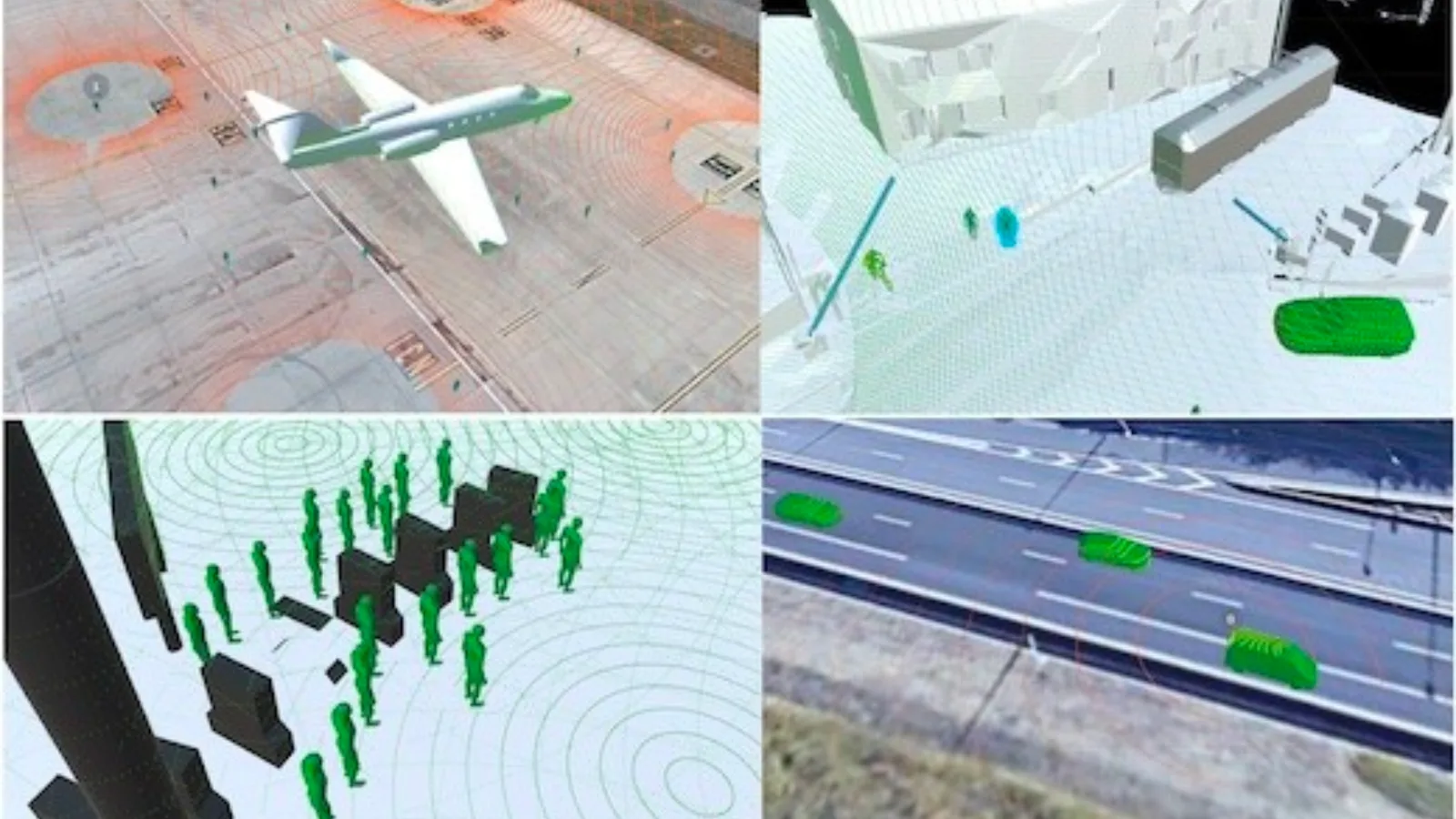
Different functions for Outsight's simulation tool

If you need support or want help starting a simulation, contact support@outsight.tech.


Related Articles

AIRPORTS

Aeroporti di Roma to deploy Outsight's Physical AI solution at scale across Rome Fiumicino Airport

Aeroporti di Roma (ADR) is expanding its collaboration with Outsight to a large-scale deployment across almost all Schengen common-use areas at Rome Fiumicino Airport.

CORPORATE

Intel and Outsight Announce Strategic Collaboration to Bring Physical AI–Powered Spatial Intelligence to the Enterprise Edge

Outsight’s Shift platform integrated into Google Distributed Cloud Edge powered by Intel Xeon 6 SoC – Live demonstration at Google Cloud Next 2026

Let's connect

Send us a Message

Drop your email and we'll get back to you as soon as possible.

Frequently Asked Questions

  • What inputs do you need before running a LiDAR coverage simulation for a new site?

    At minimum, a simulation requires a 3D scene representing the physical environment, a selection of LiDAR models to test, and defined zones of interest corresponding to the operational areas being evaluated. The scene can be built from scratch using geometry tools or imported as an external 3D model. No pre-existing point cloud recording is necessary to start; the simulation generates synthetic coverage data from sensor parameters and scene geometry alone. Outsight's SHIFT platform supports this workflow with multi-vendor compatibility across hardware from Hesai, RoboSense, Ouster, Velodyne, and others, allowing operators to compare sensor configurations across airport terminals, factory floors, or smart-city intersections before any physical installation takes place.

  • Why would a real deployment end up using LiDAR sensors from two different manufacturers?

    Different LiDAR models have different field-of-view geometries, beam patterns, and detection ranges. A single model optimized for wide-area coverage may have blind spots at close range or on sloped surfaces, while a narrow-field sensor fills those gaps precisely. Mixing manufacturers is not an edge case; it is a standard outcome of coverage optimization when the goal is detecting specific object types at specific distances and angles across a complex site. Outsight's SHIFT platform is built to handle exactly this reality, supporting multi-vendor hardware from manufacturers including Hesai, RoboSense, Ouster, Velodyne, and Seyond within a single unified perception pipeline, so operators are not locked into one vendor's trade-offs when designing sensor layouts for airports, train stations, or industrial facilities.

  • How does a no-code LiDAR simulator reduce project risk before hardware is purchased?

    Hardware procurement decisions for LiDAR deployments are typically irreversible in the short term: sensors are installed at height, cabling is run, and configuration is fixed to the mounting geometry. A simulation pass before procurement lets operators validate that a given sensor mix and placement achieves the required detection rate in the zones that matter, and confirms there are no coverage gaps that would only surface after installation. Outsight's no-code LiDAR simulator, part of the SHIFT platform, addresses this directly by letting teams test multi-vendor sensor configurations across real site geometries before a single unit is purchased, converting a hardware-first guess into a data-backed specification.

  • Can a LiDAR simulator model vulnerable road users like cyclists and scooter riders?

    Simulation tools that include purpose-built object libraries can represent pedestrians, cyclists, bicycles, and scooters as distinct 3D entities with appropriate size and profile. This matters for Vulnerable Road User (VRU) programs because a scooter rider has a smaller cross-section than a car and a different height profile than a standing pedestrian, so coverage that looks adequate for vehicles may underperform for VRUs without explicit validation against those object types. The Outsight SHIFT platform addresses this directly: its multi-vendor 3D LiDAR simulator ships with object libraries that include VRU classes, allowing operators to test detection performance against cyclists and scooter riders before committing to a physical sensor layout.

  • What is a .pcap file and why does it matter for LiDAR projects?

    A .pcap (packet capture) file records the raw network packets emitted by a LiDAR sensor over time. It is the standard archive format for preserving a sensor's raw output for later replay, offline processing, or algorithm development without requiring the physical sensor to be present. In the context of LiDAR deployments, uploading .pcap recordings lets engineers validate perception software against real-world data captured during a site survey before full deployment. Outsight's SHIFT platform supports .pcap ingestion directly, allowing teams to replay authentic sensor captures inside the 3D simulator and test perception pipelines across different LiDAR hardware vendors without returning to the field.

  • How does a multi-LiDAR simulation handle the computational load of testing many sensor positions at once?

    Simulating several LiDAR positions simultaneously requires computing synthetic point clouds for each sensor independently, then merging them into a shared scene to evaluate combined coverage. Web-based simulators offload this computation to cloud infrastructure rather than the user's local machine, which removes the hardware constraint that previously made large multi-sensor layout studies impractical without a dedicated workstation. Outsight's LiDAR simulator, part of the SHIFT platform, applies this cloud-hosted approach to support multi-vendor sensor configurations across use cases ranging from airports to factory floors and smart-city intersections. The cloud-hosted model also makes it straightforward to share simulation files across teams in different locations, accelerating the design iteration cycle before any physical hardware is deployed.